The assistant that actually runs your computer.
Less time on your screen starts with a smarter screen. Say what needs doing, and JARVIS handles the busywork.
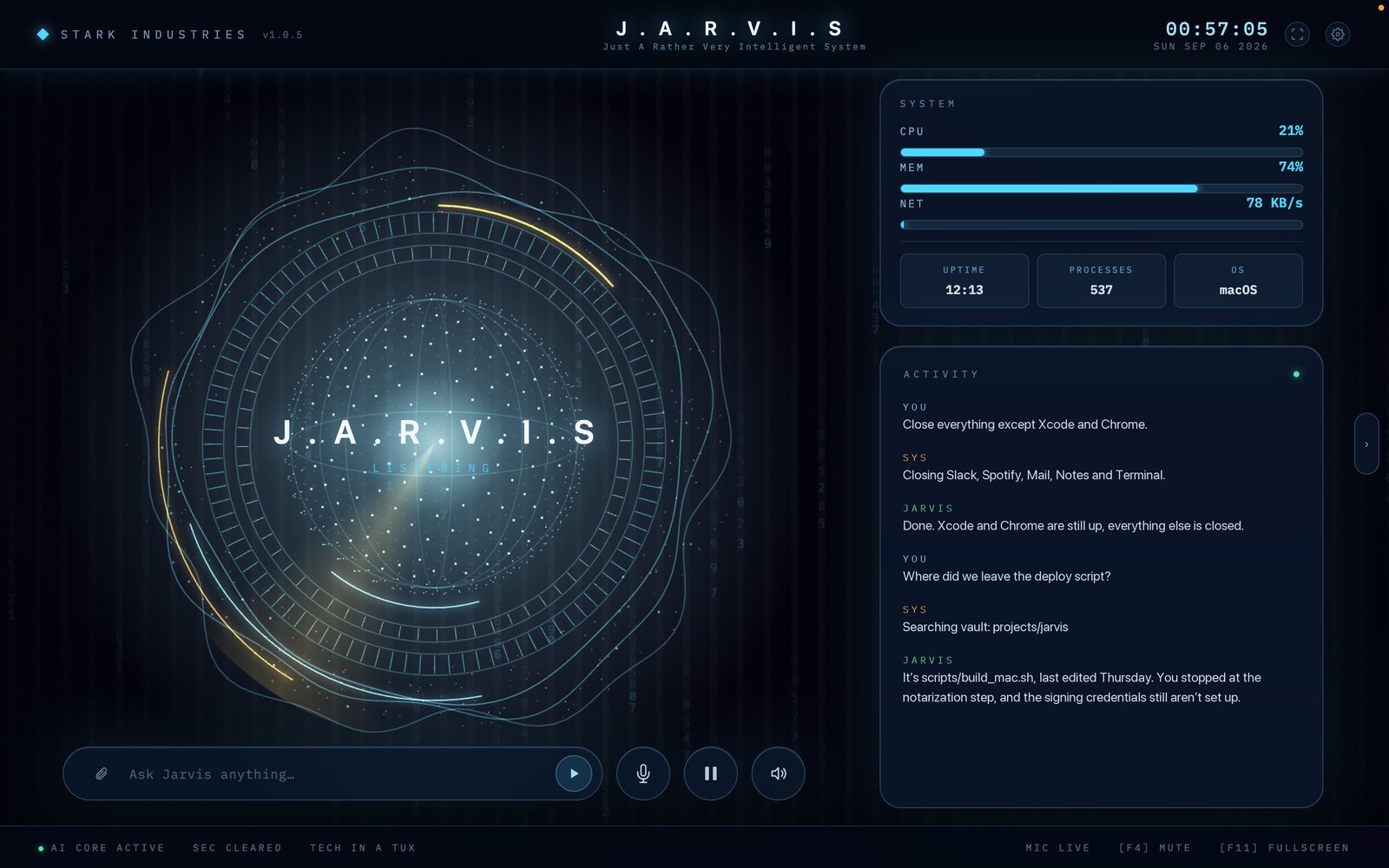
A heads-up display, not a chat log.
The core reacts as you speak. Telemetry sits top right. Below it, a log of everything JARVIS did and said, including where it looked things up.
Things you can just say out loud.
Thirty-three tools sit behind these, but you never pick one. You say what you want and it works out the rest.
“Close everything except Xcode and Chrome.”
Runs the machine for you
Opens and quits apps, moves windows, changes settings, fires shortcuts. It does the clicking so your hands stay where they are.
“What’s this error actually telling me?”
Sees what you’re looking at
Share your screen or camera and it reads them directly.
“Where did we leave the deploy script?”
Remembers, session to session
Projects and preferences persist as plain Markdown in a vault on your own disk.
“Tell them Thursday works, and put it in my calendar.”
Takes the busywork
Drafts email and messages, creates events and reminders. Anything that leaves your machine waits for your yes.
“What happened with Bitcoin today?”
Looks things up and shows its work
Live search, read back to you, with the sources left in the log.
“Why is my fan going nuts?”
Keeps the computer healthy
Reads CPU, memory, GPU and temperature, runs real diagnostics, and speaks up before something overheats. Cleaning it up afterwards is on Pro.
Three steps, about five minutes.
Subscribe on Patreon
$5 a month unlocks the download. Cancel whenever. The app tells you plainly when access lapses.
Run the signed installer
A normal macOS or Windows install. No terminal, no Python, no building from source.
Add your key and talk
Link Patreon, paste a Gemini or OpenAI key, grant microphone and accessibility. Then just talk.
Two tiers. No usage limits on either.
Personal
Everything JARVIS does on your own machine.
- All 33 tools, macOS and Windows
- Real-time voice, screen and camera vision
- Full diagnostics: why it crashed, why it is slow, what the logs say
- Persistent memory in a local Obsidian vault
- Phone remote and in-app updates
- Every future build while subscribed
Pro
Available nowEverything in Personal, plus the work that runs without you.
- Everything in Personal
- PC optimization: clears out temporary files, disables startup programs and restarts stuck services, always after a read-back you approve
- Social comment automation: replies to Instagram comments by private DM, on rules you set
- Runs on its own schedule while you are away from the machine
Email automation is next for Pro, included when it ships.
Both tiers use your own Gemini or OpenAI key, billed by the provider at cost. We never resell API access or mark it up.
The things people ask first.
- Why do I need my own API key?
- A live voice session is expensive and usage varies wildly. You pay Google or OpenAI directly at their rates instead of a marked-up flat fee, and your subscription stays $5.
- What leaves my machine?
- Your audio, and any screen or camera frame you share, go to whichever AI provider you configured. Your memory vault stays local as plain Markdown. We store no conversations.
- Can it delete my files or send things without asking?
- No. Anything outward-facing or irreversible, such as sending a message, deleting files or power actions, goes through a spoken confirmation first.
- Does it run on Linux?
- No. macOS and Windows only. The window control, accessibility and system tooling are written against those two platforms specifically.
- What happens if I cancel?
- The app keeps working through a short grace period, then tells you access has lapsed. Your vault and settings stay on your disk either way.
- Is it open source?
- No. JARVIS is proprietary software from Tech In A Tux Inc. You install a signed build rather than compiling it yourself.